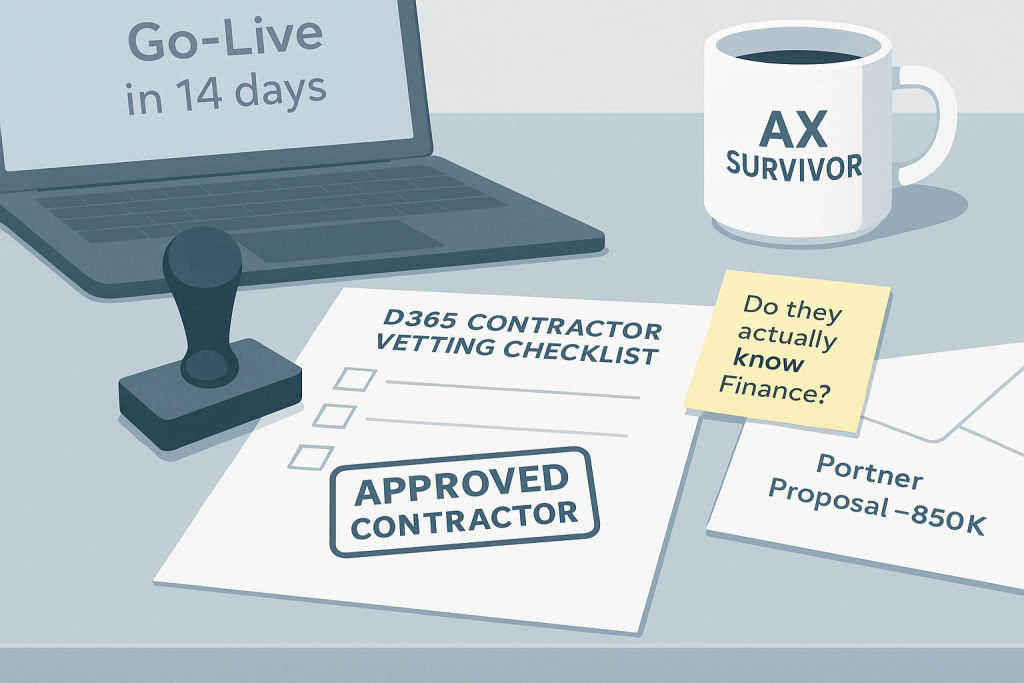
How to a Hire Dynamics 365 Contractor

Picture this: your Microsoft Dynamics 365 F&O Go-Live was 6 days ago.

And $300,000 of inventory just… vanishes.

Not stolen. Not damaged. Just gone. Your shiny new “Advanced” WMS can’t locate a high-value truck that’s somewhere between your yard and a customer site 800 miles away.

Your partner is stumped. Your internal team is panicking. And your COO is asking the kind of questions that make people update their résumés.

An experienced independent D365 contractor gets called in, walks the yard, finds the missing truck (parked in the wrong bay with incorrect tags), and prevents a $300k write-off.

Sounds farcical, but a true story. And a reminder that the “right person” is often the difference between project recovery and jobs being lost.

It is a reminder that when you hire D365 contractor talent, the right person is the difference between project recovery and jobs being lost. But for every contractor who grabs the bull by the horns and solves the problem, there are three who make it worse.

Below is a practical, no-nonsense way to separate heroes from hazards.

Warehouse yard with a truck parked in the wrong bay, hinting at mis-tagged inventory after a D365 go-live.

What makes it so hard to hire D365 contractor talent

Here’s the uncomfortable truth: most companies hiring D365 contractors are flying blind. You know you need help with “finance modules” or “warehouse management,” but do you really understand the difference between someone who’s configured dozens of manufacturing allocation rules versus someone who read about them in a blog post last week?

Great contractors will educate & challenge you. Weak ones will overconfidently agree to everything.

Common traps:

  • AI-polished answers masking shallow experience
  • “Experts” whose background doesn’t match your needs (e.g., SharePoint devs with a dated Dynamics AX certificate)
  • Resume swaps or bait-and-switch on day one

When ERP goes sideways, it’s not just technology—it’s cash flow, customer experience, and team morale.

4 Red Flags when you hire D365 contractor talent

After 13 years of contractor conversations, certain patterns make my BS detector go off like a smoke alarm.

Here are 4 red flags that should send you sprinting in the opposite direction:

1. The “We Did Everything” Expert

Listen for pronouns. Good contractors say “I designed the chart of accounts” or “I configured the allocation rules.” Weak contractors hide behind “we implemented” or “our team delivered.” If someone can’t clearly articulate their specific contribution to a project, they probably didn’t have one.

2. The Universal Expert

Run – don’t walk – from anyone claiming expertise in functional, technical, project management, AND data migration*. Real D365 experts have deep knowledge in their lane. Jack-of-all-trades contractors are usually masters of none. The best D365 finance consultant I know freely admits she can’t write a line of code. The best D365 technical architect I work with wouldn’t dream of designing financial workflows.

3. The Reference Dodger

Any contractor worth their salt should be eager to share customer references. If they go missing when you ask for client contacts (after boasting about all the successful D365 projects they delivered!) that’s a red flag. Good contractors have happy clients who’ll sing their praises.

4. The Vague Storyteller

When you ask about specific challenges they’ve solved, weak contractors give generic answers about “best practices” and “industry standards.” Strong contractors tell specific stories: “The client was doing manual journal entries for intercompany transactions because their entity structure was set up wrong. I redesigned their legal entity hierarchy and automated the whole process, saving them 40 hours per month.” The best contractors can clearly articulate complex ideas into a simple story.

*There are maybe 4-5 people I have EVER met that are truly experts in multiple facets of F&O (ask me for their names!)

How to hire D365 contractor talent: a vetting playbook

Now let’s get tactical. Here’s a step-by-step process for vetting D365 contractors:

Step 1: Technical/Functional Deep-Dive

Don’t ask “Do you know financial reporting?” Ask: “How would you set up [specific report] for a discrete manufacturer?” Or: “Walk me through lot tracking across multi-site distribution with quarantine steps.”

You’re listening for clarifying questions about your business before solutions.

Step 2: War Story Test

Ask them to describe their most challenging D365 F&SCM project. Listen for:

  • Specific problems they solved (not generic implementations)
  • How they handled resistance from users or stakeholders
  • What they learned from failures or mistakes
  • Evidence they can work under pressure

Step 3: Human Skills Assessment

Here’s what separates good contractors from great ones: consulting skills. You know: being human. Can they explain complex concepts to non-technical users? Do they ask good questions? Can they handle pushback diplomatically?

Ask them to explain a technical concept relevant to your project as if they were talking to your CFO. The best contractors are translators who can bridge the gap between business needs and technical capabilities.

Step 4: Reference Reality Check

Don’t just call the references – ask the right questions:

  • “What specific problem did they solve for you?”
  • “How did they handle unexpected issues?”
  • “Would you hire them again for a similar project?”
  • “What would you want them to do differently?”

Listen to your gut on these calls.

5 Questions That Separate D365 Pretenders from Performers:

1. “Walk me through your approach to [specific scenario relevant to the project]”

Great contractors ask clarifying questions before answering. They want to understand your specific situation before proposing solutions. Weak contractors jump straight to generic best practices.

2. “Describe a time when you had to push back on a client’s requirements”

This reveals whether they have backbone and business judgment. The best contractors aren’t yes-people – they’re advisors who’ll tell you when you’re about to make an expensive mistake.

3. “What’s the biggest D365 F&O disaster you’ve had to fix?”

Strong contractors have war stories about rescuing failed projects. They can articulate what went wrong and how they fixed it. Contractors without rescue stories probably haven’t been in enough trenches.

4. “How do you handle knowledge transfer and documentation?”

This separates contractors who care about long-term client success from those who just want to complete tasks. Good contractors leave your team stronger and more capable.

5. “Tell me about a time you didn’t know something and how you handled it”

Nobody knows everything about D365. Good contractors admit knowledge gaps and explain how they’d research solutions or bring in additional expertise.

The Human Element: Why Character Matters More Than Code

Here’s something most companies miss: technical skills are table stakes. What really matters is character. Can you trust this person with your business-critical data? Will they tell you hard truths when your project is heading off track? Do they care about your success beyond their hourly rate?

The best D365 contractors I work with are people you truly trust with your ERP system – and therefore your business. They’re the ones who’ll work late to solve an urgent issue. Who’ll admit when they’re out of their depth and recommend someone better. Who’ll push back on bad ideas even when it’s uncomfortable. Good people. It’s why we are strict about only letting good humans into the D365contractors.com community.

They’re not just consultants – they’re advisors. And in a world where your ERP system is the backbone of your business, that distinction matters more than any certification or resume bullet point. 

Your action plan: hire D365 contractor talent you can trust

So here’s a quick playbook for finding trustworthy D365 contractors:

  1. Start with specific requirements – Don’t just say “D365 help.” Define exactly what problems you need solved.
  2. Test technical depth early – Ask scenario-based questions that reveal real experience versus surface knowledge.
  3. Prioritize consulting skills – The best technical expert who can’t communicate is useless in a business setting.
  4. Check references thoroughly – And ask the hard questions that reveal character, not just competence.
  5. Look for problem-solvers, not task-completers – You want someone who’ll improve your business, not just check boxes.
  6. Trust your instincts – If something feels off, it probably is. Good contractors are transparent, responsive, and eager to help.

The right D365 contractor isn’t just another vendor – they’re a trusted advisor who can save your project, your budget, and maybe even your job.

Choose wisely. Your ERP project – and your sanity – depends on it.

Want a detailed checklist to vet D365 Contractors? 

We’ve created a checklist that’s helped dozens of companies vet D365 contractors properly:

Download D365 Contractor Checklist


About the Author

Ryan Carolan is the founder of d365contractors.com, connecting US manufacturing companies with pre-vetted, independent D365 Finance & Supply Chain Management experts. 14 years exclusively in D365 staffing. Hundreds of contractor placements into manufacturing implementations across the US.

Most weeks, he waffles on about stuff like this online.

Follow Ryan on LinkedIn →

5 Tips to Stop Your D365 Contractor Going Missing

A guide to getting the most from Dynamics 365 independent contractors

Let me guess: Your last contractor was technically brilliant. Solved problems you didn’t even know you had. Then vanished for three days right before UAT, leaving you staring at the grey cross next to their name on Teams.

Here’s the thing nobody tells you: The #1 reason D365 contractor engagements fail isn’t technical skill. It’s communication.

More specifically: misalignment in communication.

Stop the Problem Before It Starts

We’ve all been there: sitting in an interview with a D365 contractor who seems perfect on paper. Their CV is immaculate. They’re dropping all the right buzzwords about Master Planning and Trade Agreements. They even laughed at your joke about batch jobs.

But here’s what you probably didn’t ask: How do they actually work?

Do they do daily stand-ups or weekly check-ins? What’s their typical response time? How do they handle blockers? Do they over-communicate or go dark for days?

Most companies figure this out after the contractor starts. By then, it’s too late to course-correct without awkward conversations.

Download the D365 Contractor Interview Checklist: Ask these questions during the interview, not after you’ve already signed the contract.

Because once you’ve made the hire, you’re stuck managing whatever communication style they happen to have. Better to vet for it upfront.

The 5 Tips to stop your D365 contractor going missing are:

1. Set Communication Cadence from Day One (Before Anyone Goes Rogue)

Every D365 project is a beautiful mess of moving parts: finance modules, supply chain workflows, partner hand-offs, integrations that were “supposed to be simple,” and at least one executive who keeps asking when they’ll see their custom dashboard.

Despite what you read on LinkedIn about AI…. Communication is the only thing holding this chaos together.

Agree upfront on:

✅ Status updates: Are we doing daily stand-ups, or is this a “weekly summary on Friday” situation? Pick one and commit to it. Nothing kills momentum faster than the project manager wondering if the contractor is working or on a beach in Bali.

✅ Channels: Teams? Email? Your project management tool (Azure DevOps, Jira, that Excel tracker you swear you’ll migrate off of)? Whatever it is, pick your lane and stay in it. Nobody wants to play “find the update” across four platforms.

✅ Availability: Confirm time zones, working hours, and meeting windows. If your contractor is in a different time zone, don’t schedule critical reviews at 6 AM their time and then wonder why they’re cranky.

✅ Escalation paths: Define how blockers get flagged to the PM or Solution Architect. If your contractor is stuck waiting on the partner to finish the data migration script, they need a clear way to yell “BLOCKED” without it disappearing into the void.

A 60-second update in Teams beats two days of radio silence every single time. Set the rhythm early, or prepare for unnecessary drama later.

2. Clarify Availability & Responsiveness (Because Mind-Reading Isn’t a Skill Set)

Unless you can promise 40 hours/week, independent contractors often juggle multiple D365 clients. That’s not a red flag: that’s literally the model. But professionalism means staying reliable and visible, even when things get busy.

Before project kickoff, nail down:

✅ Expected response time: Within 4 business hours? Same day? Define it. If you’re expecting instant Teams replies but your contractor is thinking “I’ll circle back tomorrow,” someone’s going to be disappointed.

✅ Recurring touchpoints: Block those weekly project reviews, sprint demos, and steering meetings in the calendar now. Don’t wait until UAT week sneaks up on you and suddenly you’re scrambling to find 30 minutes together.

✅ How to handle planned absences: If your contractor is taking a week off or has overlapping commitments, you need to know about it before it becomes a surprise mid-sprint.

Put these recurring syncs in the project calendar before UAT week sneaks up on you. Make sure you get an Acceptance. Future you will thank present you.

TIP: If you absolutely need your contractor to focus 100% on your project for a defined period, you will need to include a guarantee of 40 hours in the contract.

3. Define Scope, Deliverables & Sign-Off (Because Assumptions Are Project Killers)

ERP projects live and die by clarity. Vague scope is how you end up with a contractor who thinks they’re done while you’re still waiting for training materials.

At the start of the engagement, document:

✅ Exact deliverables: Design docs? Configuration tasks? Testing support? Training materials? Write it down. All of it.

✅ Acceptance criteria: How will you measure completion? “It works” is not acceptance criteria. “All purchase order workflows tested and signed off by Finance” is acceptance criteria.

✅ Handover expectations: Who’s inheriting this work when the contractor wraps up? Your internal team? The partner? Make sure everyone knows the plan.

✅ Issue tracking ownership: Who’s logging bugs and blockers in Azure DevOps? Who’s responsible for keeping that backlog clean?

If it’s not written down, it’s not real. And when someone inevitably says “I thought you were handling that,” you’ll have receipts.

4. Respect the Independent Model (They’re Not Your FTE, and That’s the Point)

Independent D365 consultants are not full-time employees. They’re experienced specialists you brought in specifically because they’ve seen this rodeo before and know how to navigate it.

That means:

✅ Don’t expect 24/7 Teams replies. They’re professionals with boundaries. If it’s truly urgent, escalate through the agreed channels. If it’s not urgent, it can wait until tomorrow.

✅ Focus on outcomes, not online presence. You hired them to deliver results, not to keep their Teams status green all day. Judge them on what they produce, not how fast they respond to your “quick question.”

✅ Trust their process and methodology. They’ve probably rescued a few failed D365 projects in their time. If they’re suggesting something that feels different from what your partner recommended, at least hear them out. They might be saving you from a very expensive mistake.

Treat them like a partner, not a resource. The best contractor engagements feel like collaboration, not supervision.

BUT: if progress isn’t being made, it might be time to have that tough conversation…

5. Create Feedback & Governance Loops (So Small Problems Don’t Become Go-Live Disasters)

In complex ERP programs, early feedback prevents late-stage chaos. You do not want to discover fundamental misalignment three weeks before cutover.

Keep the loop tight:

✅ Add a retrospective or feedback slot every sprint. Even 15 minutes of “what’s working, what’s not” can surface issues before they spread.

✅ Encourage open discussion about blockers, dependencies, and partner hand-offs. If your contractor is waiting on the partner to finish something critical, you need to know now, not when it’s already delayed the timeline.

✅ Share feedback both ways. Transparency builds trust. If something isn’t working, say it early. If something’s going great, acknowledge that too. Your contractor will appreciate knowing what’s landing well.

Communication isn’t a risk mitigation step. It’s essential. The Project Management Institute emphasizes that effective stakeholder communication requires setting clear expectations upfront and maintaining consistent feedback loops throughout the project lifecycle. If the PMI recommend it, they might be onto something…

Your “Communication Contract” Checklist

Before your D365 contractor starts, make sure you both agree on:

  • How and when you’ll communicate (channels, cadence, meeting rhythm)
  • Expected response times (and how to escalate true emergencies)
  • Deliverables, tools, and ownership (who’s doing what, in which system, by when)
  • Feedback loops and escalation paths (how to surface problems before they become disasters)

When expectations are clear, your D365 contractor becomes what they’re meant to be: an extension of your team that delivers real project momentum.

You hire a D365 contractor to get a ready-made ERP expert you can rely on. Do what you can to make sure you CAN rely on them.

Use these 5 tips to stop your D365 contractor going missing.

Struggling to get past interview stage?

Download your very own Contractor Checklist here.


Need a D365 contractor who communicates like a professional?

We connect you with pre-vetted, independent Dynamics 365 experts who know how to deliver—and how to keep you in the loop.

Dynamics 365 Implementation: 5 Tips to Survive ERP Fatigue

Written for ERP Commanders steering Dynamics 365 Finance & Operations and Business Central implementations in manufacturing, distribution, and supply chain. Flight suits optional, sarcasm encouraged.

Implementing an ERP system is a bit like launching a spaceship: there’s a ton of planning, high stakes, way too many acronyms, and at some point, you seriously question your life choices.

If you’re rolling out Dynamics 365 Finance & Supply Chain Management or Business Central, you’re not just running a project: you’re captaining a full-blown space mission.

Stay with me here…

rocket launching into space

And like any mission to Mars (or even just to the warehouse), your crew will experience fatigue. ERP change fatigue, to be precise: a condition marked by disengagement, glazed eyes, and whispered prayers to the Excel gods.

But fear not, Business Commander.

Here are five battle-tested strategies to keep your team engaged through the turbulence of your D365 implementation.

What Is ERP Change Fatigue? (And Why It’s Killing Your D365 Project)

Before we blast off, let’s define the enemy.

ERP change fatigue happens when your team hits their limit with constant changes, training sessions, process updates, and “just one more UAT cycle.” And it’s getting worse: Gartner research found that employee willingness to support organizational change has collapsed from 74% in 2016 to just 43% in 2022 — at the same time that the average employee is experiencing 10 planned changes (up from just 2 in 2016).

It manifests as:

  • Declining meeting attendance
  • Increasing resistance to new processes
  • More “We’ve always done it this way” pushback
  • Team members mysteriously unavailable during critical phases
  • A sudden surge in LinkedIn activity from key users

Sound familiar? You’re not alone.

Studies show that organizational change initiatives fail due to employee resistance and fatigue. Your Dynamics 365 implementation doesn’t have to be one of them.

1. Mission Briefings: Communicate Your ERP Vision (And Keep Broadcasting)

Astronauts don’t climb into a rocket without knowing where they’re headed. Neither should your team.

Set Your D365 Trajectory

Explain the mission purpose: “We’re not upgrading because it’s trendy; we’re doing it so we can stop losing inventory like it’s floating in zero gravity.”

Align with real-world gains: Faster month-end close, better inventory visibility, automated workflows that don’t require blood sacrifices to the approval gods.

Repeat the message like a ground control loop: All-hands meetings, Teams updates, email newsletters, dashboard metrics showing progress. (Space helmet stickers optional, but encouraged.)

Why Communication Combats ERP Change Fatigue

Transparent communication is your shield against resistance. Multiple research studies on ERP implementation identify effective communication as a critical success factor for post-implementation oversight. When teams understand the “why” behind your Dynamics 365 implementation, they stay engaged and resistance drops.

Keep the frequency high and the message consistent: “This mission improves YOUR daily work life.”

Pro tip: Create a project name that doesn’t sound like a corporate death march. “Project Phoenix” beats “ERP Migration Initiative 2025” every time. Let’s hope everyone rises from the flames at the end. Or even better? Be there no flames!

view from the cockpit of a rocketship, showing earth and outer space

2. Crew Participation: Get Your Team in the D365 Cockpit

Nobody wants to be the redshirt in a Star Trek episode – clueless and disposable. Give your team a meaningful role in your Dynamics 365 rollout.

How to Get Buy-In From Your Earthlings

Invite real users to test, tweak, and challenge designs: Your warehouse team knows where the process black holes are better than any consultant.

Let ops, finance, and supply chain teams speak up: They’re the ones who’ll actually use this system. Their input isn’t optional; it’s mission-critical.

Adopt a bottom-up command model: Less “because I said so,” more “what do you think would work better?”

Launch Your ERP Champion Program

Your secret weapon against ERP change fatigue? Super Users (aka your ERP astronauts).

Here’s your launch checklist:

  • Elect champions from each department: Pick the people others actually listen to, not just the loudest voices
  • Train them thoroughly: Give them early access, advanced training, and the inside scoop
  • Empower them to answer questions: They’re your first line of defense when panic strikes
  • Celebrate them publicly: Announce them in company meetings, give them swag, make it a badge of honor

These champions become your force multipliers. They spread excitement, answer questions in real-time, and talk panicked coworkers off ledges during the Dynamics 365 implementation.

They’ll be the difference between liftoff and launchpad explosion.

3. Flight Simulators: Make Your D365 Training Not Suck

Let’s be honest: most ERP training feels like watching paint dry in low gravity.

Your team is already drowning in change. Don’t make training another thing they dread.

Boost Skills With Astronaut-Approved Learning

Role-based training sessions: Don’t teach finance how to scan warehouse barcodes. Don’t teach warehouse staff about intercompany eliminations. Target the training.

Snackable content: Think 5-minute videos, quick reference guides, cheat sheets. Not 4-hour PowerPoint marathons.

Sandbox environments: Let them crash test without consequences. Breaking things in UAT is learning. Breaking things in production is a résumé-generating event.

Real scenarios, not theory: Walk through actual invoices they process, not generic “Customer ABC” examples.

Pro tip: Meet users where they’re at, we once came in to save a training program because the original “training documents” were long pages of text in English sent by email to a community of users whose first language was Spanish…

Post-Launch D365 Support That Actually Helps

The training doesn’t end at go-live. That’s when the real learning begins. In outer space is where the real magic happens!

Create support systems that work:

  • No-stupid-questions Teams channel: Because “Where’s the report button?” will come up. A lot.
  • Super Users orbiting key teams: Available for just-in-time guidance when confusion strikes
  • Quick escalation paths: A clear process for “Houston, we have a problem” moments
  • Video library of common tasks: Build this during UAT; it pays dividends forever

Great training builds confidence. Confidence prevents mid-flight meltdowns. And preventing meltdowns is how you beat ERP change fatigue.

4. Mid-Mission Parties: Celebrate Tiny Wins Throughout Your D365 Rollout

No one wants to go to the moon without a moon pie now and then.

ERP implementations drag on for months (or let’s be real, years). If you wait until go-live to celebrate, your team will check out long before you get there.

Mark Progress With Meaningful Recognition

Mini celebrations for milestone achievements:

  • UAT complete? Grab cupcakes for the testing team.
  • First successful production transaction? Sound the confetti cannon.
  • GL reconciled in the new system? That deserves at least a pizza party.

Create fun awards that people actually want:

  • “Master of Migration” (best at data cleanup)
  • “Bug Bounty Hunter” (found the most issues in testing)
  • “Captain of Clean Data” (data validation champion)
  • “Zero-G Guru” (navigated the toughest configuration challenge)

Pro Tip: We’re all nerds at heart, deep down, lean into it and get people to leave those egos at the door!

Shout out your crew publicly:

  • Highlight wins during status calls
  • Post victories in company communications
  • Surprise top performers with coffee runs or lunch delivery
  • Create a “Mission Accomplishments” board where everyone can see progress

Why Celebration Fights ERP Change Fatigue

Recognition isn’t fluffy HR nonsense. It’s rocket fuel for momentum. Research by Achievers found that employees who receive recognition at least once a month are twice as likely to feel productive. And Gartner research shows that well-designed recognition programs can drive an 11.1% increase in employee performance.

Your Dynamics 365 implementation is a marathon, not a sprint. Feed your runners along the way.

5. Life Support Systems: Balance Workloads and Prevent D365 Burnout

You wouldn’t send a space crew to Mars without oxygen. Don’t send your ERP team to go-live without proper support.

This is where most implementations fail. Companies pile ERP work on top of regular jobs, then act surprised when people burn out.

Avoid Project Space Junk Like:

Double-duty death marches: “Hey, implement the ERP AND run operations AND hit your quarterly targets this week, cool?”

Weekend war rooms becoming the norm: If every weekend is “critical,” your project timeline is broken, not your team’s commitment.

Scope creep turning launches into galactic odysseys: “While we’re at it, let’s also redesign the entire chart of accounts and rebuild all our Power BI reports.”

Mission Control Tips for Managing ERP Implementation Workload

Backfill or reprioritize operational roles: If someone’s spending 20+ hours a week on the D365 project, their regular job can’t disappear.

Sometimes the smartest move is bringing in specialized help. Need a D365 expert who can hit the ground running without adding permanent headcount? Our field guide on hiring D365 F&O contractors walks through when contractors make sense, what to look for, and how to avoid common hiring mistakes.

Allow recovery time between milestones: After UAT, give the team a breather before go-live prep. Exhausted people make expensive mistakes.

Say no to overlapping launches: Don’t roll out Finance and Warehouse Management in the same week. Just… don’t.

Watch for burnout warning signs:

  • Increased mistakes or quality issues
  • Withdrawal from meetings or collaboration
  • Cynical or negative communication patterns
  • Requests for time off spiking

Protect your crew’s well-being, and they’ll complete the Dynamics 365 implementation with their sanity (mostly) intact.

Sometimes the best way to protect your core team from burnout is to bring in reinforcements. Suppose your D365 implementation is stretching your people too thin. In that case, experienced contractors can fill critical gaps in days rather than weeks: giving your internal team the breathing room they need to stay engaged without burning out.

Your ERP Change Management Re-Entry Plan

ERP change fatigue is no joke. It’s the silent killer of D365 implementations, turning promising projects into painful slogs.

But with the right command strategy, you can keep your team engaged from kickoff through hypercare:

✅ Keep communication clear and compelling: Explain the why, celebrate the wins, maintain transparency

✅ Involve your crew in navigation: Champions, feedback loops, and bottom-up design

✅ Deliver smart, user-friendly training: Role-based, practical, and always available

✅ Celebrate every successful orbit: Recognition fuels momentum when the finish line feels light-years away

✅ Watch your crew’s oxygen levels: Monitor workload, prevent burnout, protect your people

Ready to Launch Your D365 Implementation Without Losing Your Team?

Lead like a mission commander. Inject humor, humanity, and snacks when needed. Because at the end of the day, your Dynamics 365 implementation isn’t just a software project – it’s a mission to transform how your company runs.

The companies that succeed aren’t the ones with the biggest budgets or the fanciest consultants. They’re the ones that keep their teams engaged, supported, and heading in the same direction.

Keep your crew informed. Keep them supported. And never underestimate the power of a well-timed meme in the project Slack channel.

Need Expert Support for Your D365 F&O Implementation?

If you’re facing resource gaps, timeline pressure, or need specialized D365 expertise to support your team, we can help. Our pre-vetted Dynamics 365 contractors can slot into your project in days, not weeks- giving your core team the support they need to stay engaged and focused.

Mission accepted?


Tags: #Dynamics365 #D365FO #ERPImplementation #ChangeManagement #BusinessCentral #D365Projects #ERPConsulting #DigitalTransformation #MicrosoftDynamics

How to Prevent Dynamics 365 Projects from Going Over Budget (Unlike 362% of Other ERP Projects)

The Confession:

OK, I have to come clean: that headline stat about 362%? We made it up*.

Unlike others online posting ridiculous stats: we’re not afraid to admit it. Tongue in cheek.

But if you’ve ever lived through an ERP disaster, you probably nodded and thought, “Yeah, that’s about right…”

And that’s the problem. ERP overruns are so common that completely fabricated statistics feel believable. Kinda.

In our experience advising and rescuing Dynamics 365 ERP projects, the truth is this: ERP implementations don’t go off the rails by accident. They fail for the same, predictable, face-palmingly avoidable reasons.

Here are the four biggest culprits we hear about time and again.

*The real numbers? According to Gartner research, between 55% and 75% of all ERP projects fail to meet their objectives: whether through project abandonment, significant budget overruns, or extended timelines.*


1. Rushed and Unrealistic Planning (Or: “How Hard Could It Be?”)

Picture this: Leadership announces the ERP project on Monday. By Friday, you’re expected to have a “comprehensive project plan” ready for review. So you cobble together a Gantt chart that looks impressive, slap some optimistic dates on it, and pray nobody asks about the details.

Sound familiar?

More often than not, organizations attempt to compress ERP planning into a matter of weeks. The resulting project plan is full of assumptions, wishful thinking, and timelines that would make a Formula 1 pit crew nervous.

The truth: ERP planning is a specialized discipline. When rushed, it creates a cascade of problems that haunt you throughout implementation and beyond. Underestimated complexity, inadequate resource allocation, and scope creep make cutting corners feel like a good option.

Why This Happens

  • Executive pressure to “get moving”
  • Underestimating the complexity of your existing processes
  • Nobody wants to be the person who says “this will take six months of planning”

The Real Cost

Every shortcut in planning costs you exponentially later. That week you saved upfront? You’ll spend it three times over troubleshooting issues that shouldn’t exist.

Our advice: Take ERP planning seriously. Invest the time upfront and involve an experienced D365 ERP project manager from day one. A proper ERP project plan should span dozens of pages, not a single Word document. Every day spent planning properly saves weeks and tens of thousands of dollars later.

TIP: We have a network of seasoned D365 ERP Project Managers who have delivered multiple implementations, we’d be happy to discuss finding a fit for someone who’s also got experience in your specific industry.


2. Underestimating the Internal Commitment Required (The “Side Project” Delusion)

Here’s a conversation that happens in approximately 99% of organizations:

Executive: “So, Sarah can handle the ERP implementation, right?”
Manager: “Well, she’s currently running the entire finance department, but sure, she can probably squeeze it in.”
Narrator: She could not, in fact, squeeze it in.

ERP transformation is not something people can do “on the side” while maintaining their usual day jobs. Yet this is exactly the expectation many businesses set- and then act shocked when things fall apart.

What Actually Happens

Without dedicated internal ERP resources:

  • Projects stall waiting for decisions
  • Knowledge gaps emerge and never get filled
  • Partners end up making business-critical decisions (because someone has to)
  • Misalignment grows like mold in a damp bathroom
  • Costs escalate while everyone points fingers

The Partner isn’t the problem here. Your team simply cannot contribute meaningfully while also doing their actual jobs. It’s like asking someone to paint your house while they’re still living in it and hosting dinner parties. It can be done, but nobody is gonna enjoy it.

Our advice: Treat your ERP implementation as a full-time commitment. Either backfill your key people or free them up entirely. The “halfway house” approach- where people are supposed to do both their regular job AND the ERP project- works approximately never.

When ERP Projects Go Over Budget: Comparison of planned ERP project timeline versus actual implementation reality showing common delays

3. Cutting Corners on an Inherently Expensive Undertaking (AKA Penny-Wise, Pound-Foolish)

ERP systems are expensive. They’re expensive because they’re complex, business-critical, and replace literally every system that runs your company.

Yet somehow, businesses convince themselves there’s a “budget version” that’ll work just fine.

The False Economy

Attempts to drive down costs at every stage – whether by reducing scope, minimizing testing, or treating contingency planning like it’s optional – almost always backfire spectacularly.

In reality: That data migration you’re balking at because it “seems expensive”? Wait until you load your lovely new ERP system with garbage data and discover the true cost of that. We’re talking months of cleanup, lost productivity, and finance teams who’ve stopped making eye contact with you.

The Testing Trap

“Do we really need that much user acceptance testing? Can’t we just… wing it?”

No. You cannot wing it. You’re implementing software that controls your entire business. Cutting testing is like skipping the brake inspection on your car because “they probably still work.”

Our advice: Accept that ERP is a significant investment, because it is. Build a 20-30% contingency buffer into your budget. This isn’t us being pessimistic: project management best practices from PMI (Project Management Institute) recommend contingency reserves to cover ‘estimate uncertainty and risk exposure,’ typically ranging from 10-30% depending on project complexity. For ERP implementations, which are among the most complex enterprise projects, the higher end is justified.

Surprises will happen (guaranteed), and having the flexibility to absorb them beats the frantic, humiliating scramble for emergency funding mid-project.

Your CFO will thank you later.


4. Becoming Overly Dependent on Your Partner (The Hidden Hostage Situation)

This is perhaps the most common trap of all, hiding in plain sight like a ninja in business casual.

When all knowledge, code, documentation, and decision-making authority lives exclusively with your implementation partner, you’ve created a dangerous dependency. Every change (however minor) becomes a negotiation. Every question becomes a billable hour. Every enhancement becomes a six-week project with a quote that makes your eyes water.

How This Happens

  • Partner controls all documentation (it’s in their “system”, their DevOps)
  • Internal team never gets trained on anything beyond basic usage
  • All customizations are black boxes you can’t touch
  • You can’t even change a workflow without calling them

The Long-Term Cost

This dependency doesn’t end at go-live. It gets worse. Years later, you’re still paying premium rates for simple changes because nobody else can touch your system. You’ve essentially entered into a very expensive arranged marriage with your Microsoft partner. You didn’t even get to choose the dress.

Our advice:

  • Demand knowledge transfer from day one (not “eventually” or “at the end”)
  • Maintain documentation internally: in systems you control, YOUR DevOps
  • Build confidence within your team so they can challenge and contribute to decisions: hire internal employees who know D365 implementation cycles
  • Build internal D365 capability by hiring permanent staff who can own your system long-term (our parent company specializes in finding permanent D365 talent if you need to strengthen your internal team)
  • Consider bringing in independent D365 contractors for specific areas to avoid single-source dependency

ERP should empower your business and show undeniable ROI, not create long-term dependency.

Not sure if you’ve fallen into this trap? Take our Partner Dependency Assessment– it takes five minutes and will either give you peace of mind or a much-needed wake-up call.


Final Thoughts: The Good News About Predictable Failures

Here’s the thing about ERP projects failing for the same reasons repeatedly: if the problems are predictable, they’re also preventable.

The four issues above aren’t acts of God or unforeseeable circumstances. They’re choices—sometimes conscious, often unconscious—that compound over time until you’re starring in your own cautionary tale.

The Action Plan

If you’re currently in an ERP project (or about to start one):

  1. Audit your planning: Is it actually detailed or just detailed-looking?
  2. Check your team’s capacity: Are people genuinely freed up or just “expected to manage”?
  3. Review your budget: Does it include contingency or are you planning for perfection?
  4. Assess your partner dependency: Do you control your destiny or are you along for the ride?

Get a Reality Check

If you’re unsure whether your business has fallen into the over-reliance trap, assess your position now. We’ve created a quick Partner Dependency Assessment that takes five minutes and will reveal exactly where you stand.

The earlier you identify these risks, the easier (and cheaper) they are to fix.


The Bottom Line

Whilst our 362% figure was made up, the costs of a poorly run ERP project are very real—and very expensive, and very career-limiting for everyone involved.

Don’t become another statistic (real or imaginary). Plan properly, commit fully, budget realistically, and maintain control of your own destiny.

Get the Talent your ERP project deserves:

DISCUSS YOUR D365 TALENT STRATEGY WITH US TODAY

Hiring Dynamics 365 F&O Contractors: 4 Red Flags

Picture this: Monday morning. Your new D365 contractor walks in, all confidence and firm handshakes. By Wednesday afternoon, they’ve created a custom solution for something that exists out-of-the-box, corrupted your UAT environment, and asked if “Dynamics 365” is the cloud version of “Dynamics 360”.

True stories? OK, OK- maybe not the last one.

We’ve seen D365 F&O contractors who could rescue a burning project with one hand tied behind their back. I’ve also seen F&O “experts” who made me wonder if they’d ever actually opened the application or just watched YouTube tutorials on 2x speed.

Confident consultant arrives Monday; by Wednesday, the UAT environment is in chaos.

The difference between these two isn’t always obvious in an interview. Especially if you don’t have an expert on your side to ask the right questions. The bad ones have gotten really good at talking the talk. They’ve weaponized LinkedIn buzzwords. They’ve turned vague answers into an art form.

But they all share similar red flags. And once you know what to look for, they’re as obvious as a NASCAR sponsorship jacket at a black-tie dinner.

Why Bad D365 Contractors Are Worse Than No Contractors

Let me be clear: having nobody is better than having the wrong somebody.

An empty chair doesn’t corrupt your production database. A vacant desk doesn’t build elaborate workarounds for standard functionality. And a missing contractor definitely doesn’t convince your CFO that the only solution is a $500k custom development project when a simple configuration change would do.

Bad contractors don’t just fail to solve problems – they create new ones. Sometimes very subtlely. 

The worst bit? By the time you realize they’re in over their head, they’ve usually done some damage. Or burnt a LOT of precious time.

So let’s talk about the red flags to spot that’ll save you from this special circle of ERP hell.

Red Flag #1: The “We Did Everything” D365 F&O Expert

Here’s a fun game: Ask a contractor about their last project and count the pronouns.

Good contractors might sound like this: “I configured the allocation rules for their multi-entity structure. I designed the month-end close process. Sarah handled the technical integration while I focused on the functional design.”

Bad contractors sound like this: “We implemented the entire Finance module. We did a full end-to-end D365 F&SCM implementation. Our team delivered everything.”

See the difference?

When someone can’t articulate their specific contribution, it’s usually because they didn’t have one. They were either the coffee-fetcher on a large project or they’re straight-up lying about their involvement.

I once interviewed a contractor who claimed “we transformed the client’s entire financial operations.” Twenty minutes of probing revealed their actual role: updating Excel templates for data migration. Important? Sure. Transformation leader? Not quite.

The Test: Ask them to walk you through ONE specific thing THEY personally built or configured. If they start with “Well, the team…” or “We all worked on…” – run. Real experts can point to their work like a proud parent showing off kindergarten art.

HUMBLE NOTE: there are some very humble contractors out there that use the “royal we” in the spirit of being a team player: when in actual fact it was them (not the team). Get clarity by asking the simple question: “when you say ‘we’, do you mean ‘I’?”

Red Flag #2: The Universal D365 Genius

Meet Bob. Bob is amazing. Bob is a functional finance consultant AND a technical architect AND a project manager AND a data migration specialist AND an integration expert AND an Advanced Warehouse pro. Bob has never met a D365 module he couldn’t master. Bob is also full of… it.

Real D365 expertise is deep, not wide. The best D365 Finance consultant won’t go near a line of X++ code. The best technical architect I work with wouldn’t dream of designing a credit management process. They know their lanes and they stay in them.

Why? Because D365 F&O is massive. It’s complex. It changes constantly. Nobody – and I mean NOBODY – is an expert in absolutely everything. Maybe in D365 Business Central, but not D365 Finance & Supply Chain Management / Finance & Operations / whatever it’s latest name!

The contractors claiming universal expertise are usually mediocre at everything and expert at nothing. They’re the ones who’ll confidently say “yes” to any requirement, then frantically Google how to do it after the call.

The Test: Ask about something highly specific outside their claimed expertise area. A real expert will say, “That’s not my area, but I can recommend someone great” or “I’d need to research that.” A faker will bluff their way through it.

Red Flag #3: The Reference Dodger

This one’s my favorite because it’s so predictable.

The conversation goes like this:

  • You: “Can you provide a reference of one of those CIOs you helped in the past 5 years?”
  • Them: “Oh, they’re all under NDA.”
  • You: “All 4 of them?”
  • Them: “Yes, very sensitive industries.”
  • You: “Can they at least confirm you worked there?”
  • Them: [Sound of crickets and tumbleweeds]

Look, NDAs are real. But they don’t prevent someone from confirming a contractor did good work. Unless the work was performed through a Microsoft Partner organization (check with the contractor). If someone has supposedly worked on dozens of projects but can’t produce a single human who’ll vouch for them…

Good contractors? They’ve got references lined up like ducks in a row. They’ll volunteer them. They’ll say things like, “Call Jennifer at Contoso Manufacturing – she’ll tell you about the time I saved their year-end close.”

The Test: Push for just ONE reference. Even with NDAs, there’s always someone who can speak in general terms about their performance. If they can’t produce anyone, they’re either impossible to work with or lying about their experience. Either way, next!

Red Flag #4: The Vague F&O Storyteller

Ask a weak contractor about challenges they’ve solved, and you’ll get a masterclass in saying nothing with maximum words.

“We followed best practices to optimize their processes using industry standards and proven methodologies to achieve synergies and drive value.”

What does that even mean? It’s the contractor equivalent of a horoscope – vague enough that it could apply to anyone, specific enough to sound meaningful.

Compare that to a real expert’s response:

“They were doing manual journal entries for 200 intercompany transactions every month because their entity structure was set up wrong. I redesigned their legal entity hierarchy, set up automatic intercompany accounting, and eliminated 40 hours of manual work per month. The accounting team literally sent me cookies.”

One is specific, measurable, and includes enough detail that you can picture the problem and solution. The other is word salad with buzzword dressing.

The Test: Ask for specifics. What was the exact problem? What specifically did you do? What was the measurable outcome? If they can’t get specific, they weren’t there or didn’t do the work.

Your Gut Check Questions

Before you hire any D365 F&O contractor, ask yourself:

  1. Can they clearly explain what THEY specifically did on past projects?
  2. Do they admit to having limits and specialties?
  3. Can they provide at least one reference who’ll talk to you?
  4. Do their stories include specific problems, solutions, and outcomes?

A dial labeled ‘Gut Instinct’ points toward ‘Clear & Specific’ and away from ‘Buzzword Spin’.

The Bottom Line: Trust Your Instincts

Here’s what thirteen years of vetting contractors has taught me: your gut usually knows before your brain does.

If something feels off – the stories don’t quite add up, the expertise seems too broad, the references are always unavailable – trust that instinct. It’s your subconscious picking up on patterns that your conscious mind hasn’t processed yet.

Good contractors make you feel confident. They ask smart questions. They admit what they don’t know. They can point to specific wins. They have people willing to sing their praises.

Bad contractors make you feel like you’re being sold something. Because you are.

The difference between a project-saving contractor and a project-destroying one isn’t just technical skill – it’s integrity, experience, and the ability to be honest about both their capabilities and limitations.

Choose wisely. Your D365 project, your sanity, and quite possibly your job depend on it.


Still need to work on that gut instinct? (you are not alone) We’ve already vetted hundreds of D365 contractors so you don’t have to. 

Our contractors come with real references, specific expertise, and zero BS. 

Get matched with pre-vetted D365 contractors:

ERP Phase 0: The VP of IT’s Guide to Implementation Readiness

If you are a VP of IT staring down an ERP initiative, this might sound familiar:

The current system is holding the business back. Finance wants better reporting. Operations wants fewer workarounds. The exec team agrees that something needs to change if growth is the goal. What they do not yet agree on is scope, cost, timing, or how disruptive this will be.

“ERP Phase 0 is where the smartest VPs show their value.”

We’ve helped walk VP of ITs through D365 ERP programs, often after things went sideways. The pattern is consistent. Successful projects do not start with software or partners. They start with clarity, alignment, and control. That work lives in Phase 0.

This guide is written to help you run Phase 0 properly so you can secure executive buy-in, protect your team, and set the project up for success before any implementation contract is signed. But first…

What is ERP Phase 0?

It’s where the compass for your roadmap ahead is built. Your North Star when things get choppy (and they will).

Phase 0 is the diagnostic and pre-planning phase of an ERP program. Some organizations call it readiness assessment, business case development, or pre-planning. The name matters less than the outcome.

Phase 0 is where the business decides what problem it is solving and how it will govern the solution.

Phase 0 typically includes:

  • Building the ERP business case and project charter
  • Defining scope boundaries and success criteria
  • Mapping current and future state business processes
  • Documenting real requirements and pain points
  • Planning resourcing, governance, and decision ownership
  • Identifying risks early, including data, integrations, and change impact
  • Defining how partners will be selected and evaluated

What Phase 0 is not:

  • Vendor demos or RFPs
  • ERP & tool selection
  • Configuration or design
  • Sales-driven discovery sessions

A successful Phase 0 is introspective for the most part. Where are we? Are we ready? What must be done? If Phase 0 feels uncomfortable, that is usually a sign it is working. It forces decisions that are often deferred until it is too late.

Why ERP Projects Fail When Phase 0 Is Rushed or Skipped

When ERP projects struggle, it is rarely because of the software. It is because the foundation was weak.

Here are the most common Phase 0 failures I see.

1. Lack of executive alignment

Funding gets approved, but leadership is not aligned on what success actually looks like. IT becomes accountable for outcomes it does not control.

2. Vendor led definition

Partners define scope, requirements, and timelines before the business has agreed internally. The project drifts toward what is easy to sell rather than what the business needs.

3. ERP treated as a side job

Subject matter experts are expected to do ERP work on top of their day jobs. No backfill is planned. Burnout starts before build even begins.

These are not go live problems. They are Phase 0 problems.


Here is your 6 Step process to nailing Phase 0:

Step 1: Define the Business Case So You Can Get Approved With Confidence

Your first job in Phase 0 is not to justify technology. It is to frame the business problem.

Executives want clear answers to a few questions:

  • Why are we doing this now?
  • What business outcomes are we driving?
  • What happens if we do nothing?
  • What will change for the organization?

Lead with outcomes, not features. Avoid module lists and screenshots. You could even argue that deciding between D365 Finance & Supply Chain Management or D365 Business Central isn’t important yet. Focus on measurable impact such as financial visibility, operational efficiency, risk reduction, or scalability.

The output of this step should be a concise business case that an executive can defend in a board conversation without you in the room. I often hear executives say they are being asked to approve a large investment without a shared understanding of what “right” looks like. One CFO described it this way:

“The hardest part of this project is that the exec team doesn’t know what right looks like. Getting alignment at the executive level is my number one priority.” 

CFO, Food & Beverage MFG Company

Phase 0 is where you define that picture clearly enough that everyone can point to the same destination.


Step 2: Establish Scope and Guardrails Before Everyone Wants Their Version

ERP projects fail quietly through scope creep long before they fail loudly through budget overruns.

Phase 0 is where you define boundaries.

That includes:

  • What business units are in scope
  • What processes are in scope
  • What will not be addressed in this phase

Clear guardrails do not limit the business. They protect it.

As a VP of IT, this is also where you earn trust. Saying not now with a clear rationale is far better than saying yes and failing later.


Step 3: Map Business Processes and Real Requirements Before Talking to Vendors

Requirements are about decisions, not wish lists.

In Phase 0, process mapping should focus on:

  • Where the business is today
  • Where it truly needs to be
  • What pain points must be resolved
  • Where standardization is acceptable
  • Where flexibility is non-negotiable

This work must be business-owned, not vendor-authored. If a partner writes your requirements, you will get a solution optimized for their delivery model.

This is also where strong IT leaders must resist the urge to hand control to vendors.

“Do not let vendors run the show. You need to know what you want and why before a Partner proposes solutions.”   

D365 F&SCM Program Manager

Strong requirements give you leverage later. Weak ones hand it away.


Step 4: Build the Real Resourcing and Governance Model

This is where ERP plans become credible or quietly fail. In Phase 0, resourcing must move from assumed to explicit.

The most common mistake? Assigning “Reviewers” instead of “Decision Makers.” You must identify who truly owns the business processes across Finance, Supply Chain, and Operations. These individuals cannot just be invited to meetings; they must have the authority to pull triggers and the capacity for sustained involvement.

Identify Resource Gaps Early

Most organizations do not have deep, end-to-end ERP implementation experience sitting on the bench. That is normal. However, significant risk emerges when internal teams are expected to:

  • Design complex “future state” processes
  • Audit and challenge aggressive vendor recommendations
  • Make high-stakes architecture decisions

…all while seeing D365 ERP for the very first time.

Where Independent D365 Contractors Add Value

This is the “Keystone” moment. Experienced independent D365 contractors fill these critical gaps without adding permanent headcount. They aren’t there to do the work your team can do; they are there to provide the framework your team doesn’t have yet.

Independent contractors bring:

  • Pattern Recognition: They’ve seen 10+ D365 programs and know where the “landmines” are buried in your specific industry.
  • Neutrality: They provide objective guidance without the pressure of hitting software sales quotas or billable-hour targets.
  • Cross-Functional Vision: A D365 Solution Architect understands how a small change in Supply Chain configuration will create a massive reconciliation headache for Finance three months later.

This is exactly why we built the community at d365contractors.com. We give VPs of IT direct access to vetted, independent leaders who have already lived through Phase 0 and know how to tie Finance, Supply Chain, and Operations into a unified, functional system.

Stop the “Side-Job” Death Spiral

If your Subject Matter Experts (SMEs) are expected to contribute without a backfill plan, the project is already at risk.

  • Operational Backfill: Their daily responsibilities must be covered by someone else.
  • Burnout Prevention: ERP work is mentally taxing. If it’s treated as a “side job,” your best people will leave before UAT begins.

As one VP of IT we spoke to put it:

“If your internal team is doing this as a side job, you are doomed.”

Establish Hard Governance

Strong governance isn’t about bureaucracy; it’s about velocity. You need a clear path to “Yes.”

  1. Steering Committee: Executive-level authority to resolve budget and priority conflicts.
  2. Process Owners: The “single throat to choke” for every department.
  3. Escalation Paths: A defined 24-hour rule for decisions that stall the project.

Step 5: Identify Risks Early So You Are Not Asking for Emergency Budget Later

VPs of IT worry about missing something, and for good reason. Industry research has consistently shown that ERP failures are far more often tied to poor upfront planning and governance than to technology itself, a trend documented in multiple ERP studies by firms such as Panorama Consulting.

Risk discussion is true leadership. Phase 0 should surface risks such as:

  • Data quality and migration complexity
  • Integration dependencies
  • Customization pressure
  • Regulatory or compliance constraints
  • Change readiness across teams

Executives are far more receptive to risk when it is presented early and tied to mitigation plans. Late surprises damage credibility and trust. Experienced program leaders are consistent on this point. Risks that surface late are rarely new. They are risks that were not discussed early.

As one ERP delivery leader noted:

“You want data migration and risk planning to start during Phase 0, not in parallel with testing.”

D365 F&SCM Delivery Leader


Step 6: Use Phase 0 to Control Partner Selection Instead of Being Sold To

Partner selection should be a consequence of clarity, not a substitute for it.

When Phase 0 is done well, you can:

  • Run a focused RFP or RFI
  • Compare vendors on an apples to apples basis
  • Validate delivery models and references
  • Negotiate scope and accountability from a position of strength

When Phase 0 is skipped, the loudest sales team wins. The business pays for it later.


Successful D365 Phase 0 Checklist:

Phase 0 is complete when you have:

  • An approved business case
  • Aligned executive stakeholders
  • Defined scope and success criteria
  • Documented business processes and requirements
  • A realistic resourcing and governance model
  • A visible risk register
  • Clear Partner selection criteria
  • A board-ready budget narrative

At this point, implementation becomes execution, not discovery.


Thinking about an ERP Project? Start with Phase 0

If you are a VP of IT preparing for a D365 ERP initiative and want to sanity-check your Phase 0 approach before taking it to the executive team, we can help.

At d365contractors.com, we work with IT leaders during the earliest planning stages to validate assumptions, identify resourcing gaps, and bring in independent D365 experts where needed.

Book a call with Ryan to pressure-test your Phase 0 plan before implementation decisions are locked in:

The Ultimate Guide to Hiring D365 Contractors in 2026

How to find, vet, and deploy elite D365 freelancer talent: without getting burned.


Let’s start with the obvious: vetted Dynamics 365 talent is harder than ever to find.

Between partner churn, AI-generated resumes, and freelancers who never live up to interview-expectations, it’s no wonder so many ERP project leaders are fed up.

And yet…

✅ The right D365 contractor can save your project
✅ Fill a critical skill gap in days or weeks (not months)
✅ And save you hundreds of thousands in partner markup

So if you’re considering hiring a D365 contractor (or just want to avoid your last hiring mistake) this is your complete guide to doing it right.


What Is a D365 Contractor?

A D365 contractor is an independent consultant or freelancer hired on a temporary basis to work on Microsoft Dynamics 365 projects. Most specialize in specific areas like:

    • Finance & Project Accounting

    • Supply Chain & Warehouse Management (WMS)

    • Manufacturing

    • Data Migration & Integrations

    • Development (X++, Power Platform, Azure)

Unlike full-time hires or partners, contractors are flexible, fast to onboard, and bring deep experience in specific modules or industries.


When Should You Hire a D365 Contractor?

Hiring a contractor is smart when:

Scenario Contractor Win
Mid-project stall or deadline pressure Inject speed and experience
Staff turnover or knowledge gaps Temporary coverage or mentorship
Implementation partner falling short Bring in a fixer or QA layer
Need expertise in a niche module (e.g. WMS, Revenue Recognition) Get a specialist without hiring full-time
Budget pressure Avoid partner markup and pay for output

If your internal team or partner is stuck in analysis paralysis- or burning hours on rework- a contractor can course-correct fast.


What to Look for in a Great D365 Contractor

Here’s what separates the pros from the posers:

✅ Proven, relevant experience

“15 years of AX” is great. But have they actually led a D365 F&O upgrade? In your industry?

✅ Strong communication skills

If they can’t explain a config change to your business lead, they’re not the right fit.

✅ References & outcomes

Don’t just ask what they did. Ask what business outcome they delivered.

✅ Comfortable with messy projects

Great contractors know how to work inside chaos- and bring order fast.


Red Flags to Avoid

💬 “I’m a quick learner” (this is not the time for learning)

🧩 Generic resumes with every module listed

🕵️ No LinkedIn presence, no referrals, no accountability

💸 Bargain-basement rates (you’ll pay double to fix it later)


What Do D365 Contractors Cost in 2026?

Here’s a rough guide for North America (USD):

Role Rate Range (Remote)
Functional Consultant (Finance, SCM, MFG, Retail) $120–$175/hr
Senior Solution Architect $150–$200/hr
Developer (X++, Power Platform) $100–$160/hr
Data Migration / Integration $120–$180/hr
Project Manager $150–$200/hr

Tip: Higher isn’t always better- but overly cheap begs questions…


Where to Find the Best D365 Contractors

Here are your options- and the pros/cons of each:

❔ LinkedIn or Job Boards

Expect: Dozens of low-quality OR AI-generated applications
✅ Cheap to post adverts
❌ Time-consuming to sift thru applicants

❔ Traditional Recruiters

Expect: Slow turnaround, hit or miss vetting
✅ Recruiters can find gems, saves you time
❌ Mixed technical screening

✅ The only Vetted community for D365 Contractors: D365contractors.com

Expect: Pre-vetted, senior independent consultants with deep D365 + industry experience
✅ Fast, focused matches of real people
✅ Transparent, flexible pricing
❌ More expensive than hiring directly


Ready-to-Hire Checklist

Before you onboard a D365 contractor:

    • Define clear role scope and outcomes

    • Set expectations for documentation and knowledge transfer

    • Ensure they’ll integrate with your internal or partner team

    • Confirm rate, hours/week, and timeline

    • Request at least one relevant reference

Need a more detailed checklist to vet D365 contractors yourself?


Final Thoughts

Hiring a D365 contractor shouldn’t feel like rolling the dice.

With the right person, you get speed, expertise, and outcomes– without the overhead of a partner or the long ramp of a full-time hire.

And if you’re tired of resumes that don’t match reality?

👉 We’ll introduce you to contractors we’d trust with our own ERP.
No fluff. No junior fillers. Just pros who’ve done it before.


🔗 Let’s Talk

Need help picking the right contractor for your project?
Book a quick call or contact us: [email protected].

The Contractor’s Guide to Stupidly Simple Communication

But First: Let’s Talk About That Contractor Who Ruined It for Everyone

You know the one. They were brilliant at D365. Absolute wizard with configurations. Then one day they just… vanished. Poof. 

Three days later they resurface with some story about their internet being down. The client’s eye starts twitching. Trust is broken. And suddenly every D365 contractor after them gets treated like a flight risk.

Don’t be that contractor.

Look, I get it. You chose contracting for the freedom. No boring meetings about meetings. No corporate BS. No mandatory fun committees. But here’s the thing – your clients are betting their careers on you showing up. The least you can do is tell them when you won’t be around.

This guide is about the stupidly simple communication habits that keep clients happy and keep you busy. And those extensions rolling on.

Rule #1: The “No Surprises” Policy (Unless It’s Cake)

Your client finding out you’re off on Friday… on Friday morning… is not the kind of surprise anyone enjoys.

Here’s what works:

  • Monday morning: “Here’s what I’m tackling this week” (30 seconds to type, saves 30 minutes of panicked client emails)
  • Doctor appointment next month? Tell them now. Why wait?
  • Big request comes in? Even just “Got it, will dig in after lunch” beats radio silence

Real example that actually happened: “Hey team, dental appointment Thursday November 20th, 1-4pm. The reconciliation scripts will be done and documented before I abandon you for my root canal. If anything explodes while I’m gone, blame Dave.”

Client’s love this. And it’s so simple.


Rule #2: Yes, We Know You Have Other Clients (We’re Not Idiots)

Your clients aren’t children. They know you’re not sitting around waiting for their emails like a golden retriever. Well, not ALL the time! They know you have other clients. What drives them crazy is not knowing WHERE they fit in your world.

Just be straight with them: “Cards on the table – I’ve got another client who gets my Tuesdays and Thursdays. You get MWF and my full attention those days. If something catches fire on a Tuesday, I’ll handle it, but my standard response time is MWF. Cool?”

You know what clients say to this? “Cool.”

You know what they say when you’re mysteriously ‘busy’ every Tuesday without explanation? Nothing good.

The worst excuse I ever heard: “Sorry, I was… uh… walking the dog all day.” Dude. At least make up something believable. You have a Pug.


Rule #3: Taking Vacation Doesn’t Make You a Bad Contractor

Taking vacation WITHOUT WARNING just isn’t cool.

The 3-2-1 Countdown:

  • 3 weeks out: “Hey, heading to the Bahamas first week of December”
  • 2 weeks out: “Remember that Bahamas thing? Here’s my coverage plan”
  • 1 week out: “Bahamas next week! Everything’s documented, Dave knows what’s up”

The message that makes clients love you:

“Heads up – I’m off March 1-5 (finally using those airline credits from 2020 🙄). Here’s what’ll be done before I go:

  • User permissions audit – DONE by Feb 26
  • Month-end close documentation – DONE by Feb 27
  • Dave’s briefed on everything (he owes me one anyway)
  • My phone works in Mexico if something literally catches fire

Anything else you need before I abandon you for tacos and questionable tequila?”


Rule #4: When Life Punches You in the Face

Kid projectile vomits at 3am? Car battery decides today’s the day to die? Life happens.

The “Oh Crap” Protocol:

Send this immediately (yes, even at 6am):

“Morning [Client]. Life happened. [Brief truth]. Need to handle this until ~2pm. The warranty report will still hit your inbox by 5pm today. Will update you at 2pm. Sorry for the disruption – my [car/kid/cat] apparently hates project deadlines.”

What NOT to say:

  • “Something came up” (They’re imagining you at the beach)
  • Nothing (They’re imagining you at the beach)
  • An elaborate lie about food poisoning (We all know you’re hungover, Steve)

Rule #5: The Friday Insurance Policy

Every Friday, spend 5 minutes writing this email/Teams message. It’ll save you from Monday morning panic texts.

The World’s Simplest Status Update:

“Friday wrap-up:

Done this week:

  • Fixed that weird bug in the payment terms
  • Taught accounting how to actually use the reports
  • Prevented Dave from breaking production (again)

Next week:

  • Month-end close prep
  • That integration thing we discussed
  • More Dave damage control

Need from you:

  • Approval on the warranty config
  • Someone to tell Dave to stop touching things

Have a good weekend! 🍻”

Takes 5 minutes. Prevents 5 hours of “where are we on…?” emails/Teams.


The “I’m Getting Swamped” Conversation

When every client suddenly needs everything yesterday (usually in December, because of course), here’s how to not implode:

The message that shows you’re a pro:

“Hey [Client], being transparent here – I’m getting stretched pretty thin across all my clients. Your D365 project is important to me and I want to make sure I’m not dropping balls. Can we do a quick call to prioritize what absolutely needs to happen this week vs. what can wait? I’d rather be honest now than disappointing later.”

Clients LOVE this. Know what they hate? When you say yes to everything then deliver garbage because you’re running on 3 hours of sleep and coffee fumes.


Tools That Make You Look Like You Have Your Sh*t Together

Bare minimum:

  • Calendar that shows when you’re available (doesn’t need detail, just “Available” vs “Booked”)
  • Surprise out-of-office that doesn’t say “I’ll respond when I return” 
  • Slack/Teams status that isn’t permanently set to “Away” (we see you, Kevin)

Next level:

  • Phone reminder every Friday at 3pm: “Send status updates, dummy”
  • Template folder called “Excuses” (kidding… call it “Client Communication Templates”)
  • At least one contractor buddy who’ll cover for you (and vice versa) in mega situations

The Bottom Line (The Part Where I Get Serious for 30 Seconds)

You’re not an employee, but you’re not a ghost either.

The D365 contractors who survive long-term aren’t necessarily the best technically. They’re the ones who answer their damn emails and tell people when they’ll be gone.

Your clients don’t need you to be available 24/7. They need to know WHEN you’re available and trust that you’ll show up when you say you will.

It’s literally that simple.


Your Homework 😀 

  1. Right now: Send every live client a status update. Even if it’s “Everything’s on track, no blockers, talk Monday.”
  2. Check your calendar: Any time off in the next month? Tell your clients. Today.
  3. Set a phone reminder: Every Friday, 3pm – “Send weekly updates or clients will panic”
  4. Save this message template: “Hi [Client], emergency came up, will be back online by [time], [deliverable] still on track for [deadline]. Will update you at [time].”
  5. Forward this guide to that one contractor friend who needs it (we all know who it is)

“The void created by the failure to communicate is soon filled with poison, drivel, and misrepresentation.” – Some smart person who probably got ghosted by a contractor

The Verticalisation of ERP. Why Dynamics 365 Contractors Are Now the Difference Between Success and Stagnation

For years, ERP was sold as a one-size-fits-all promise a central nervous system for any business, regardless of industry. But in 2025, that idea feels almost quaint.

Today, ERP is defined by verticalisation solutions purpose-built for the nuances of specific sectors.
Manufacturers need predictive maintenance and IoT-enabled visibility. Financial services demand multi-entity consolidation and ESG reporting. Retailers expect real-time customer intelligence. Healthcare organisations require end-to-end data security and compliance under HIPAA or FDA regulations.

And no platform has leaned into this shift more effectively than Microsoft Dynamics 365.

From Monolithic to Modular

Microsoft’s evolution of D365 from a single, broad ERP to a composable ecosystem of industry clouds has changed the delivery model entirely. Instead of long, inflexible deployments, organisations are layering modular capabilities on top of a common Dataverse and AI foundation scaling functionality as business maturity increases.

The result? ERP projects that are faster, smarter, and infinitely more adaptable.

But this transformation introduces a new challenge and opportunity for the talent market.

The Rise of the Industry-Fluent Contractor

A D365 contractor in 2025 is not simply a functional consultant or technical specialist.
They are now industry interpreters professionals who can translate sector-specific regulations, operating models, and data flows into tangible D365 configurations.

  • In manufacturing, the demand is for contractors fluent in IoT telemetry, demand forecasting models, and mixed reality workflows.
  • In financial services, it’s those who can embed predictive cash-flow models, ESG metrics, and regulatory controls within D365 Finance.
  • For retail, the value lies in integrating Customer Insights, Commerce, and AI-driven merchandising to deliver omnichannel intelligence.
  • Within healthcare, contractors with experience aligning Cloud for Healthcare to patient engagement and data-privacy standards are commanding a premium.

These roles sit at the intersection of business process, data architecture, and industry regulation and they’re redefining what it means to be a D365 expert.

Why This Matters for the Market

As organisations move from generic ERP roll-outs to high-context, vertical deployments, they need specialists who can configure the nuances, not just the core.

That’s why D365 contractors with deep industry fluency are in unprecedented demand not to fill resource gaps, but to drive value creation.
They’re the difference between implementing software and activating strategy.

The next wave of ERP transformation won’t be led by technology alone, it will be led by the people who understand how to make it relevant.

In short:
ERP is evolving from a system of record to a system of intelligence and the most valuable contractors are those who can bring that intelligence to life, sector by sector.

Why Do So Many D365 ERP Projects Go Over Budget?

When ERP Projects Go Over Budget: Business professional reviewing escalating ERP implementation costs and budget overruns on computer screen

The Confession:

OK, I have to come clean: that headline stat about 362%? We made it up*. Don’t believe everything you read on LinkedIn 😀

Unlike others online posting ridiculous stats: we’re not afraid to admit it. Tongue in cheek.

But if you’ve ever lived through an ERP disaster, you probably nodded and thought, “Yeah, that’s about right…”

And that’s the problem. ERP overruns are so common that completely fabricated statistics feel believable. Kinda.

In our experience advising and rescuing Dynamics 365 ERP projects, the truth is this: ERP implementations don’t go off the rails by accident. They fail for the same, predictable, face-palmingly avoidable reasons.

Here are the four biggest culprits we hear about time and again.

*The real numbers? According to Gartner research, between 55% and 75% of all ERP projects fail to meet their objectives: whether through project abandonment, significant budget overruns, or extended timelines.*


1. Rushed and Unrealistic Planning (Or: “How Hard Could It Be?”)

Picture this: Leadership announces the ERP project on Monday. By Friday, you’re expected to have a “comprehensive project plan” ready for review. So you cobble together a Gantt chart that looks impressive, slap some optimistic dates on it, and pray nobody asks about the details.

Sound familiar?

More often than not, organizations attempt to compress ERP planning into a matter of weeks. The resulting project plan is full of assumptions, wishful thinking, and timelines that would make a Formula 1 pit crew nervous.

The truth: ERP planning is a specialized discipline. When rushed, it creates a cascade of problems that haunt you throughout implementation and beyond. Underestimated complexity, inadequate resource allocation, and scope creep make cutting corners feel like a good option.

Why This Happens

  • Executive pressure to “get moving”
  • Underestimating the complexity of your existing processes
  • Nobody wants to be the person who says “this will take six months of planning”

The Real Cost

Every shortcut in planning costs you exponentially later. That week you saved upfront? You’ll spend it three times over troubleshooting issues that shouldn’t exist.

Our advice: Take ERP planning seriously. Invest the time upfront and involve an experienced D365 ERP project manager from day one. A proper ERP project plan should span dozens of pages, not a single Word document. Every day spent planning properly saves weeks and tens of thousands of dollars later.

TIP: We have a network of seasoned D365 ERP Project Managers who have delivered multiple implementations, we’d be happy to discuss finding a fit for someone who’s also got experience in your specific industry.


2. Underestimating the Internal Commitment Required (The “Side Project” Delusion)

Here’s a conversation that happens in approximately 99% of organizations:

Executive: “So, Sarah can handle the ERP implementation, right?”
Manager: “Well, she’s currently running the entire finance department, but sure, she can probably squeeze it in.”
Narrator: She could not, in fact, squeeze it in.

ERP transformation is not something people can do “on the side” while maintaining their usual day jobs. Yet this is exactly the expectation many businesses set- and then act shocked when things fall apart.

What Actually Happens

Without dedicated internal ERP resources:

  • Projects stall waiting for decisions
  • Knowledge gaps emerge and never get filled
  • Partners end up making business-critical decisions (because someone has to)
  • Misalignment grows like mold in a damp bathroom
  • Costs escalate while everyone points fingers

The Partner isn’t the problem here. Your team simply cannot contribute meaningfully while also doing their actual jobs. It’s like asking someone to paint your house while they’re still living in it and hosting dinner parties. It can be done, but nobody is gonna enjoy it.

Our advice: Treat your ERP implementation as a full-time commitment. Either backfill your key people or free them up entirely. The “halfway house” approach- where people are supposed to do both their regular job AND the ERP project- works approximately never.

When ERP Projects Go Over Budget: Comparison of planned ERP project timeline versus actual implementation reality showing common delays

3. Cutting Corners on an Inherently Expensive Undertaking (AKA Penny-Wise, Pound-Foolish)

ERP systems are expensive. They’re expensive because they’re complex, business-critical, and replace literally every system that runs your company.

Yet somehow, businesses convince themselves there’s a “budget version” that’ll work just fine.

The False Economy

Attempts to drive down costs at every stage – whether by reducing scope, minimizing testing, or treating contingency planning like it’s optional – almost always backfire spectacularly.

In reality: That data migration you’re balking at because it “seems expensive”? Wait until you load your lovely new ERP system with garbage data and discover the true cost of that. We’re talking months of cleanup, lost productivity, and finance teams who’ve stopped making eye contact with you.

The Testing Trap

“Do we really need that much user acceptance testing? Can’t we just… wing it?”

No. You cannot wing it. You’re implementing software that controls your entire business. Cutting testing is like skipping the brake inspection on your car because “they probably still work.”

Our advice: Accept that ERP is a significant investment, because it is. Build a 20-30% contingency buffer into your budget. This isn’t us being pessimistic: project management best practices from PMI (Project Management Institute) recommend contingency reserves to cover ‘estimate uncertainty and risk exposure,’ typically ranging from 10-30% depending on project complexity. For ERP implementations, which are among the most complex enterprise projects, the higher end is justified.

Surprises will happen (guaranteed), and having the flexibility to absorb them beats the frantic, humiliating scramble for emergency funding mid-project.

Your CFO will thank you later.


4. Becoming Overly Dependent on Your Partner (The Hidden Hostage Situation)

This is perhaps the most common trap of all, hiding in plain sight like a ninja in business casual.

When all knowledge, code, documentation, and decision-making authority lives exclusively with your implementation partner, you’ve created a dangerous dependency. Every change (however minor) becomes a negotiation. Every question becomes a billable hour. Every enhancement becomes a six-week project with a quote that makes your eyes water.

How This Happens

  • Partner controls all documentation (it’s in their “system”, their DevOps)
  • Internal team never gets trained on anything beyond basic usage
  • All customizations are black boxes you can’t touch
  • You can’t even change a workflow without calling them

The Long-Term Cost

This dependency doesn’t end at go-live. It gets worse. Years later, you’re still paying premium rates for simple changes because nobody else can touch your system. You’ve essentially entered into a very expensive arranged marriage with your Microsoft partner. You didn’t even get to choose the dress.

Our advice:

  • Demand knowledge transfer from day one (not “eventually” or “at the end”)
  • Maintain documentation internally: in systems you control, YOUR DevOps
  • Build confidence within your team so they can challenge and contribute to decisions: hire internal employees who know D365 implementation cycles
  • Build internal D365 capability by hiring permanent staff who can own your system long-term (our parent company specializes in finding permanent D365 talent if you need to strengthen your internal team)
  • Consider bringing in independent D365 contractors for specific areas to avoid single-source dependency

ERP should empower your business and show undeniable ROI, not create long-term dependency.

Not sure if you’ve fallen into this trap? Take our Partner Dependency Assessment– it takes five minutes and will either give you peace of mind or a much-needed wake-up call.


Final Thoughts: The Good News About Predictable Failures

Here’s the thing about ERP projects failing for the same reasons repeatedly: if the problems are predictable, they’re also preventable.

The four issues above aren’t acts of God or unforeseeable circumstances. They’re choices—sometimes conscious, often unconscious—that compound over time until you’re starring in your own cautionary tale.

The Action Plan

If you’re currently in an ERP project (or about to start one):

  1. Audit your planning: Is it actually detailed or just detailed-looking?
  2. Check your team’s capacity: Are people genuinely freed up or just “expected to manage”?
  3. Review your budget: Does it include contingency or are you planning for perfection?
  4. Assess your partner dependency: Do you control your destiny or are you along for the ride?

Get a Reality Check

If you’re unsure whether your business has fallen into the over-reliance trap, assess your position now. We’ve created a quick Partner Dependency Assessment that takes five minutes and will reveal exactly where you stand.

The earlier you identify these risks, the easier (and cheaper) they are to fix.


The Bottom Line

Whilst our 362% figure was made up, the costs of a poorly run ERP project are very real—and very expensive, and very career-limiting for everyone involved.

Don’t become another statistic (real or imaginary). Plan properly, commit fully, budget realistically, and maintain control of your own destiny.

Get the Talent your ERP project deserves:

DISCUSS YOUR D365 TALENT STRATEGY WITH US TODAY

Related Resources: